Control a compatible Panasonic camera from your phone
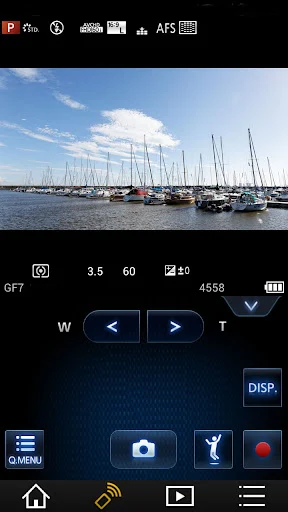
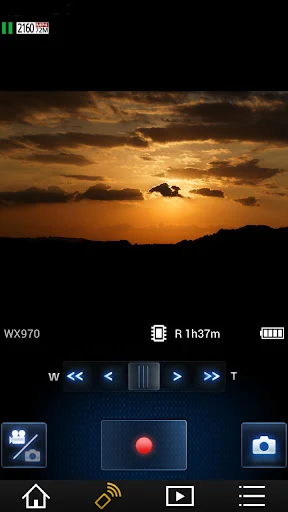
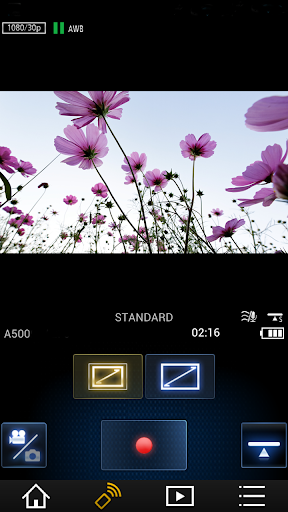
Panasonic Image App connects an Android phone to a Wi-Fi-compatible Panasonic digital camera or camcorder. It suits camera owners who want to frame a shot, operate the camera remotely, or check recorded footage without handling the camera directly. The app shows the camera’s live view on the phone and can act as a wireless remote for supported camera operations.
Review and move images
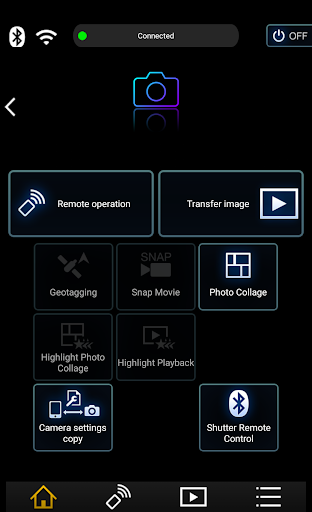
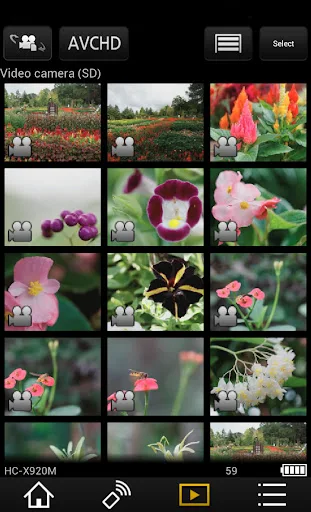
You can browse still photos and videos recorded on a connected camera, then copy supported files to your phone. The app also provides options for sharing images to social networking services. What you can play back or transfer depends on the camera model; some older models support playback of still photos only, and the listed functions are not available with every Panasonic camera or camcorder.
Camera-dependent extras
With compatible Bluetooth-equipped cameras and a phone that supports Bluetooth Low Energy, the app can maintain a connection and help establish Wi-Fi for remote operation. Supported models can also automatically transfer still photos to the phone or add phone-derived location information to camera images. Location tagging uses GPS, which can noticeably reduce battery life when used continuously. SNS and cloud-sync services require a Panasonic LUMIX CLUB user ID.
Best for existing Panasonic camera owners
This is a companion rather than a general photo editor: its value depends on owning a supported Panasonic camera and wanting phone-based control or transfers. Check the compatibility of your specific camera before relying on any one feature. The app is published by Panasonic Holdings Corporation and has more than 5 million installs. Its 2.8-star rating across about 32,850 reviews is a reason to weigh those camera-specific benefits against the experience reported by other users.