
Advertisement
Click to download now, finish the installation quickly, and directly unlock the all-round experience
Advertisement
Screenshots
Click to download now, finish the installation quickly, and directly unlock the all-round experience
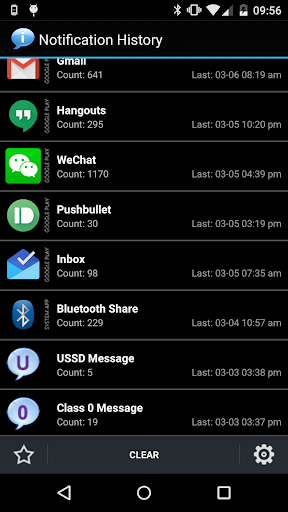
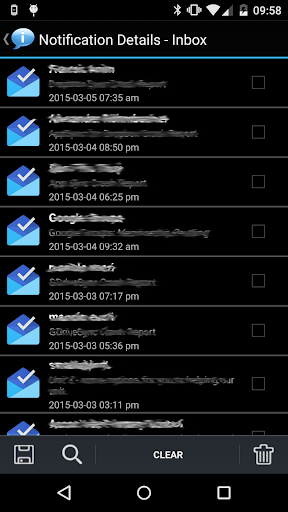
Notification History keeps a searchable, time-ordered record of notifications, toasts and certain dialog messages on your phone. It suits people who dismiss alerts quickly, want to check what an app said later, or are trying to identify which app is sending unwanted messages. Entries can be grouped by app, and you can search or copy notification text.
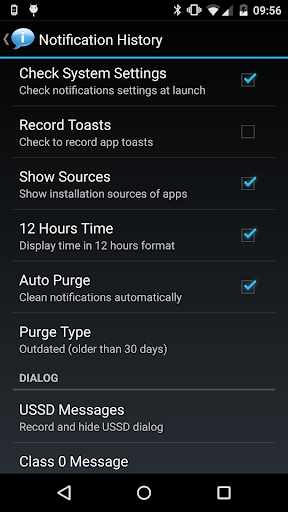
The history can also include USSD messages, Class 0 (flash) SMS messages and records of apps being installed, updated or removed. That makes it more than a simple notification archive: it can help you retrace a change on your device or work out where an intrusive alert came from. You can ignore notifications from selected apps, clear entries, and open an app’s uninstall option from the history.
Some recording depends on Android settings and Accessibility access. The app’s description says this access is used to capture notifications and certain dialogs; on newer Android versions, notification recording and toast recording may require separate setup. Notification data is stored locally, according to the developer, rather than shared. The app also requests internet access for banner ads. Backup and sharing, a widget, removing ads, and some controls for USSD and flash-message dialogs are listed as Pro features, not part of the basic feature set.
Yotta Studio’s tool has more than 5 million installs and a 3.73 rating from 28,442 reviews. Those figures suggest a well-used utility, though the rating is a reason to keep expectations measured. Its value is most apparent if you regularly miss alerts or need a record for troubleshooting; if you rarely revisit notifications, it may be one more app taking up space without much return.